
Free, and free of signup
Your MRR, in every tab
A Chrome extension that puts the number you actually care about where you cannot miss it: on every new tab, and on the toolbar all day. It reads your own Kometrics workspace, so it is the same MRR the dashboard computes, not an estimate.
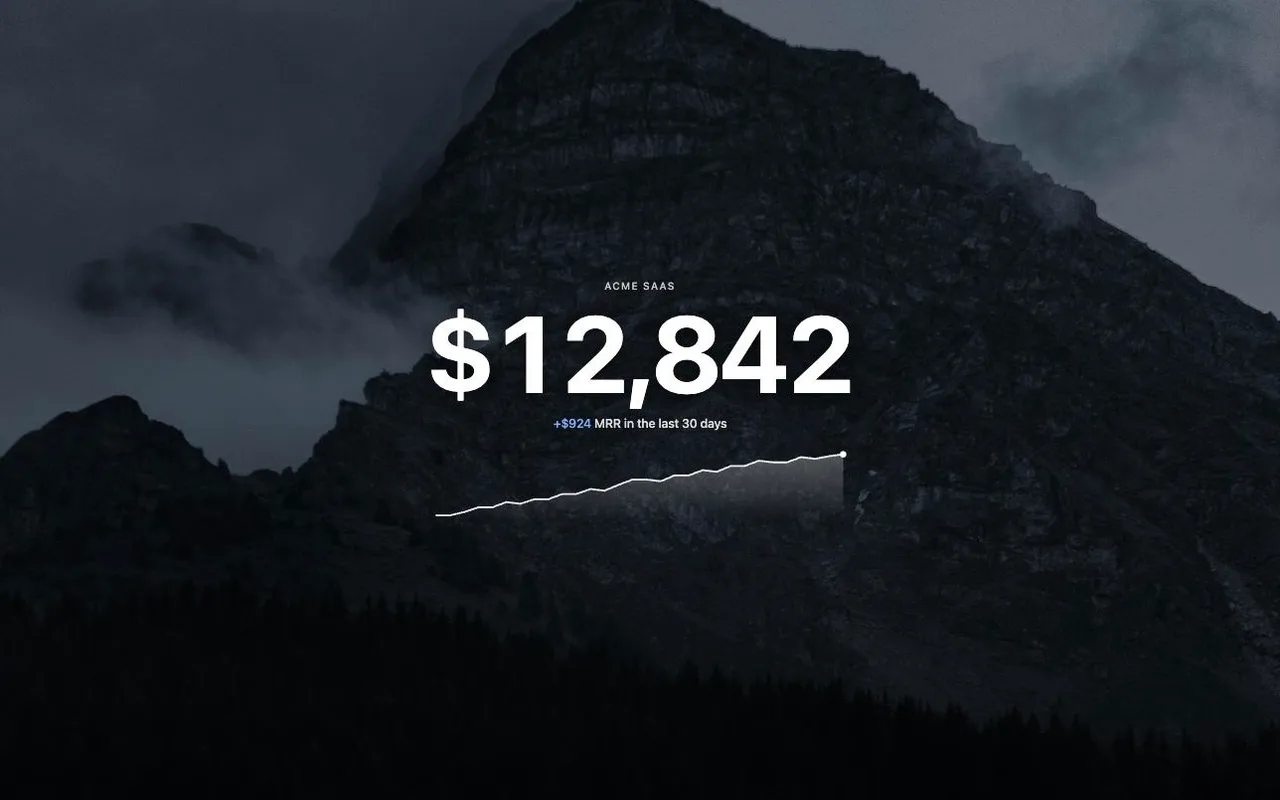
A new tab that opens with your revenue
Current MRR, large and centered over a quiet landscape, with the last 30 days drawn underneath. Opening a tab is the most repeated action of the day, so it may as well tell you something.
A toolbar badge you read without looking
The number sits on the extension icon and refreshes every 30 minutes. $12.4k means the book is where you left it; anything else and you already know before you open a tab.
The latest movements, one click away
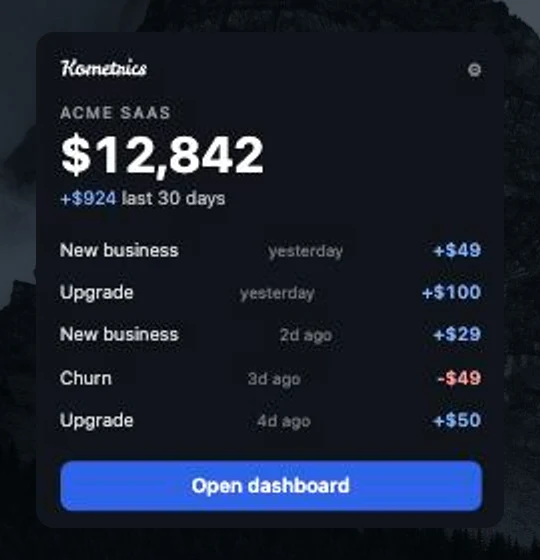
The popup lists what actually moved: new business, upgrades, downgrades and churn, newest first, with a link straight into the matching customer in Kometrics.
Read only, and local
It authenticates with a read-only API key stored in your own browser and calls exactly one host, api.kometrics.com. No analytics, no tracking, nothing sent anywhere else.
Setting it up takes a minute
- 1
Install it from the Chrome Web Store
Works in Chrome and in any Chromium browser that reads the store: Edge, Brave, Arc and the rest.
- 2
Create a read-only API key
In Kometrics, open Settings, then API keys, and create one. Keys are scoped to a single workspace and can be revoked from that same screen at any time.
- 3
Paste it into the extension
Open a new tab, paste the key into the connect card, and the MRR appears. The key never leaves your browser except to authenticate your own requests.
What it collects
One thing: the API key you paste, kept in your browser storage along with a cached copy of your own numbers so a new tab paints instantly and still shows something offline. The only network call it can make is to api.kometrics.com, which is the host permission the extension declares. Full detail is in the privacy policy.