

How to query Stripe data with SQL: every route, from Sigma to Postgres
Every way to run SQL on your Stripe data in 2026: Sigma, the Query Run API, Data Pipeline, the new real-time Postgres sync and the open-source routes, with cost and freshness.
By Pedro Campos

Stripe data in SQL used to mean one thing: Sigma, inside the Dashboard. In 2026 there are eight routes, from a SQL editor Stripe hosts to a live copy of your account in your own Postgres, and they differ on the three things that decide which one you want: where the data lives, how fresh it is, and what it costs.
This is the map, checked against Stripe's docs and pricing pages (US) on October 13, 2026. If you want the deep dive on Sigma itself, including what computing MRR in it really takes, we wrote Stripe Sigma, explained.
The routes at a glance
| Route | Where the data lives | Freshness | Cost (US) |
|---|---|---|---|
| Sigma | Stripe's Dashboard | Most tables within 3 hours | From $10/month (annual, up to 250 charges) or $15 monthly; free in sandboxes |
| Query Run API | Stripe, results as a CSV | Same as Sigma | Needs Sigma |
Stripe MCP stripe_analytics | Stripe, asked from Claude | Same as Sigma | Needs Sigma for SQL |
| Data Pipeline | Your warehouse or bucket | Full reload every 3 hours, core tables about 6 hours behind | From $50/month (annual) or $65 monthly, Sigma included |
| Real-time Postgres sync | Your Postgres | Seconds | Public preview, no price published |
| stripe/sync-engine | Your Postgres | Webhooks, near real time | Free, you run it |
| Supabase Stripe wrapper | Nowhere: it queries the API live | Live | Free on Supabase |
| Airbyte or Fivetran | Your warehouse | Each sync | Airbyte self-hosted free; Fivetran free up to 500,000 monthly active rows |
Inside Stripe: Sigma, its API, and its assistant
Sigma is a read-only SQL editor over your
account, on Trino. Charges, subscriptions, invoices, customers, refunds and the rest are
tables; most of them are queryable within three hours, while some derived tables trail by a day
or more, so bound recent queries with data_load_time. US pricing moved to
tiers by charge volume: $15 a month on monthly billing, or
from $10 a month on an annual plan, up to 250 charges, with overage per extra charge. There is a
30-day trial, and querying sandbox data is free with no limit.
The same SQL can run outside the editor. The
Query Run API, in public preview, takes SQL over
HTTP and hands back a CSV, which is the route for a script or a scheduled job. It needs a
Sigma subscription, like the editor. (The older /v1/sigma/scheduled_query_runs endpoint only
reads the results of queries scheduled in the Dashboard; it cannot run new ones.)
In the Dashboard’s Sigma editor. Amounts are in minor units (cents for USD), hence the division.
select
  date_trunc('month', created) as month,
  currency,
  sum(amount) / 100.0 as gross
from charges
where status = 'succeeded'
group by 1, 2
order by 1 desc
Ad hoc SQL over HTTP, in public preview. Needs a Sigma subscription; poll the run, then download the CSV within 5 minutes.
curl https://api.stripe.com/v2/data/reporting/query_runs \
  -H "Authorization: Bearer $STRIPE_KEY" \
  -H "Stripe-Version: 2026-07-29.preview" \
  -H "Content-Type: application/json" \
  -d '{"sql": "select status, count(*) from subscriptions group by status"}'
Data Pipeline’s real-time sync, in public preview. Stripe has not published a price for it yet.
- 1In the Dashboard, set up Data Pipeline with Postgres as the destination.
- 2Connect Supabase or Neon with OAuth (Stripe can create the project), or point it at any Postgres 13 or newer.
- 3Pick the tables to sync. Changes land within seconds; treat the synced tables as read only.
You can also skip the SQL. Sigma Assistant, built into the editor, writes a query from a
plain-English question or edits the one you have, then runs it. It answers in English only, and
by default Stripe may use your chats to improve it, with an opt-out in Sigma's settings. From an
agent, the Stripe MCP server's stripe_analytics tool does the same job (SQL runs are in public
preview), again only with Sigma. Questions both handle well:
Outside Stripe: your warehouse or your Postgres
Data Pipeline ships the same tables to Snowflake, Redshift, Databricks or BigQuery, or as Parquet files to S3, Google Cloud Storage or Azure. It reloads everything every three hours, and core tables arrive about six hours behind at the median, twelve at worst. Pricing starts at $50 a month on an annual plan ($65 monthly) and includes Sigma. This is the route when Stripe data has to join your product data.
The newest route is the most interesting one for small teams. Real-time sync to Postgres, in public preview, streams changes from your account into your own Postgres database within seconds: Supabase and Neon connect with OAuth, and any Postgres 13 or newer works. A few object types can lag up to ten minutes during the preview, budget about 1 GB per 100,000 charges if you sync everything, and do not write to the tables Stripe manages. Stripe has not published a price for it.
The open-source routes
- stripe/sync-engine, formerly Supabase's, now
owned by Stripe. It listens to webhooks and upserts into a
stripeschema in your Postgres. Free, but you own the webhooks, backfills and schema drift, and its README says plainly: use at your own risk, and deploy it internally only. - The Supabase Stripe wrapper, a Postgres foreign data wrapper that turns your SQL into live Stripe API calls. No copy, so no sync to maintain, but large queries are slow and there are no real-time updates.
- Airbyte and Fivetran both have Stripe connectors driven by Stripe's Events API. Stripe only guarantees events for 30 days, so an incremental sync left idle longer than that misses changes.
Which one to pick
- You want answers this week, and you are on Stripe only: Sigma. Ask Sigma Assistant first.
- A script or a scheduled report needs the numbers: the Query Run API.
- Stripe data has to sit next to product data: Data Pipeline into the warehouse you have.
- You want a live copy in your app's database: the real-time Postgres sync, once you are comfortable with a preview; sync-engine if you want it now and can run it.
- One table, occasionally, from Supabase: the wrapper.
When SQL is the wrong tool
All of these give you Stripe's objects. None of them gives you subscription metrics. MRR, churn and LTV are computations over those objects, full of decisions about annual plans, proration, trials, coupons and past-due accounts, and a query that makes them correctly runs to a couple of hundred lines, which the Sigma post walks through. If that is the question you were about to write SQL for, a subscription analytics tool has already written it. Kometrics keeps those decisions in a movement ledger built from your billing history, so every figure opens down to the invoices behind it, and Claude or ChatGPT can read it directly:
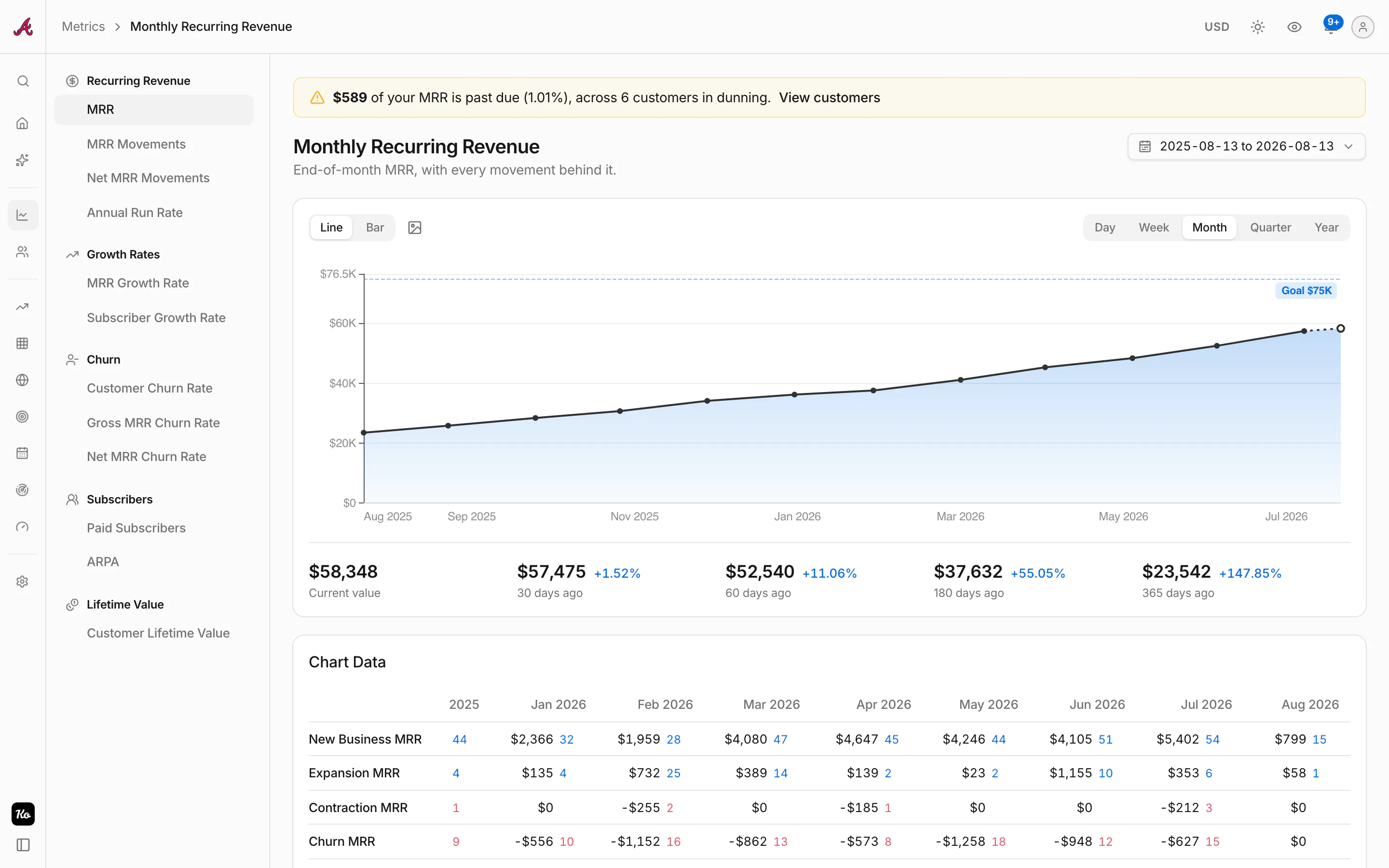
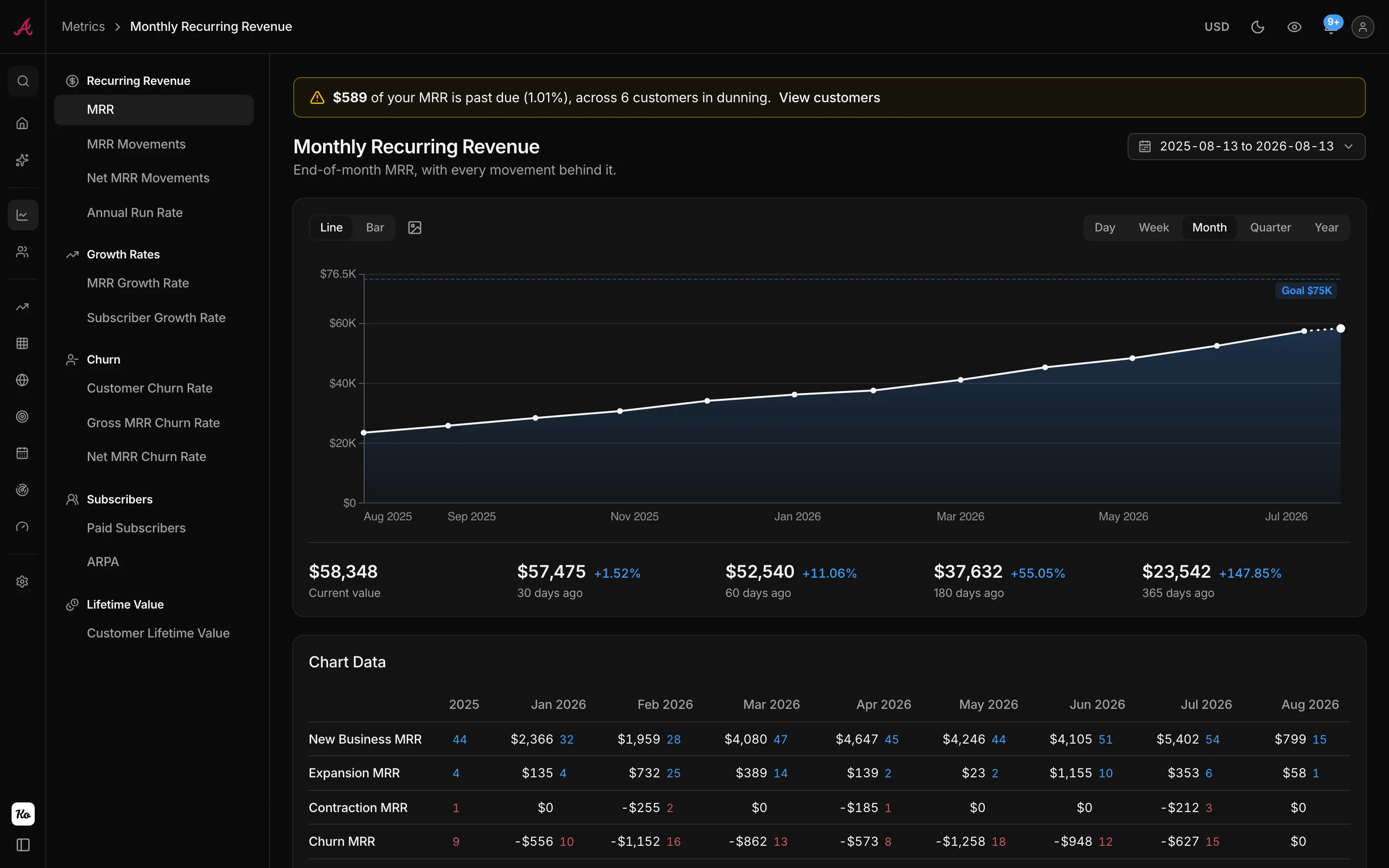
It reads Paddle, Creem and Asaas alongside Stripe, which matters the day your revenue stops living in one biller, and it is free under $1,000 MRR.
FAQ
Can I query Stripe data with SQL for free?
In sandboxes, yes: Sigma is free there with no limit. On live data, the free routes are open-source ones you run yourself (stripe/sync-engine, the Supabase wrapper, self-hosted Airbyte). Sigma and Data Pipeline are paid, with 30-day trials.
Does Stripe sync to Postgres?
Yes. Data Pipeline's real-time sync to Postgres, in public preview, streams changes into your own database within seconds, with Supabase and Neon connected over OAuth.
How fresh is Stripe Sigma data?
Most tables are queryable within three hours. Some derived tables (transfers, tax, itemized fees) take a day or more. Data Pipeline runs a few hours behind Sigma.
Can I run Sigma queries through the API?
Yes, with the Query Run API, in public preview: post SQL, poll the run, download the CSV. It needs a Sigma subscription.
Can I compute MRR in SQL from Stripe?
You can, and the query is long: annual normalization, proration, trials, discounts, currency and past-due handling all need a consistent rule. Stripe Sigma, explained shows what it takes.
Know your revenue. Trust the metrics.
Connect Stripe and get every SaaS metric computed from your real billing history. Free under $1,000 MRR.
Start freeKeep reading

Stripe in Claude Code: the official plugin, the MCP server and the CLI
Stripe in Claude Code, set up properly: the official plugin, the MCP server, the CLI and sandboxes, plus the October 31 key change and what to keep the agent away from.

How to connect ProfitWell to Claude Code and ChatGPT
There is no official ProfitWell MCP server. What does work: the ProfitWell API from Claude Code, Paddle's MCP for Paddle Billing, and the gap in ChatGPT.

How to connect ChartMogul to Claude, Claude Code and ChatGPT
ChartMogul has an official remote MCP server. Setup for Claude, Claude Code, ChatGPT and Codex, the prompts it answers well, and the limits to know before you trust it.